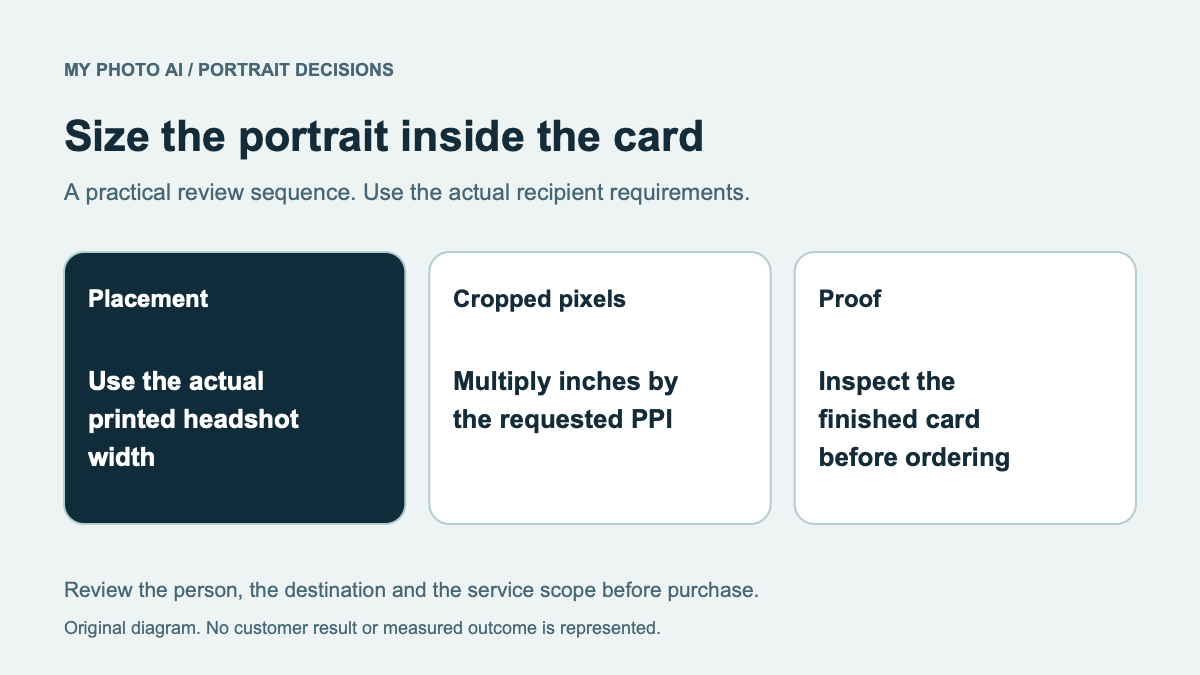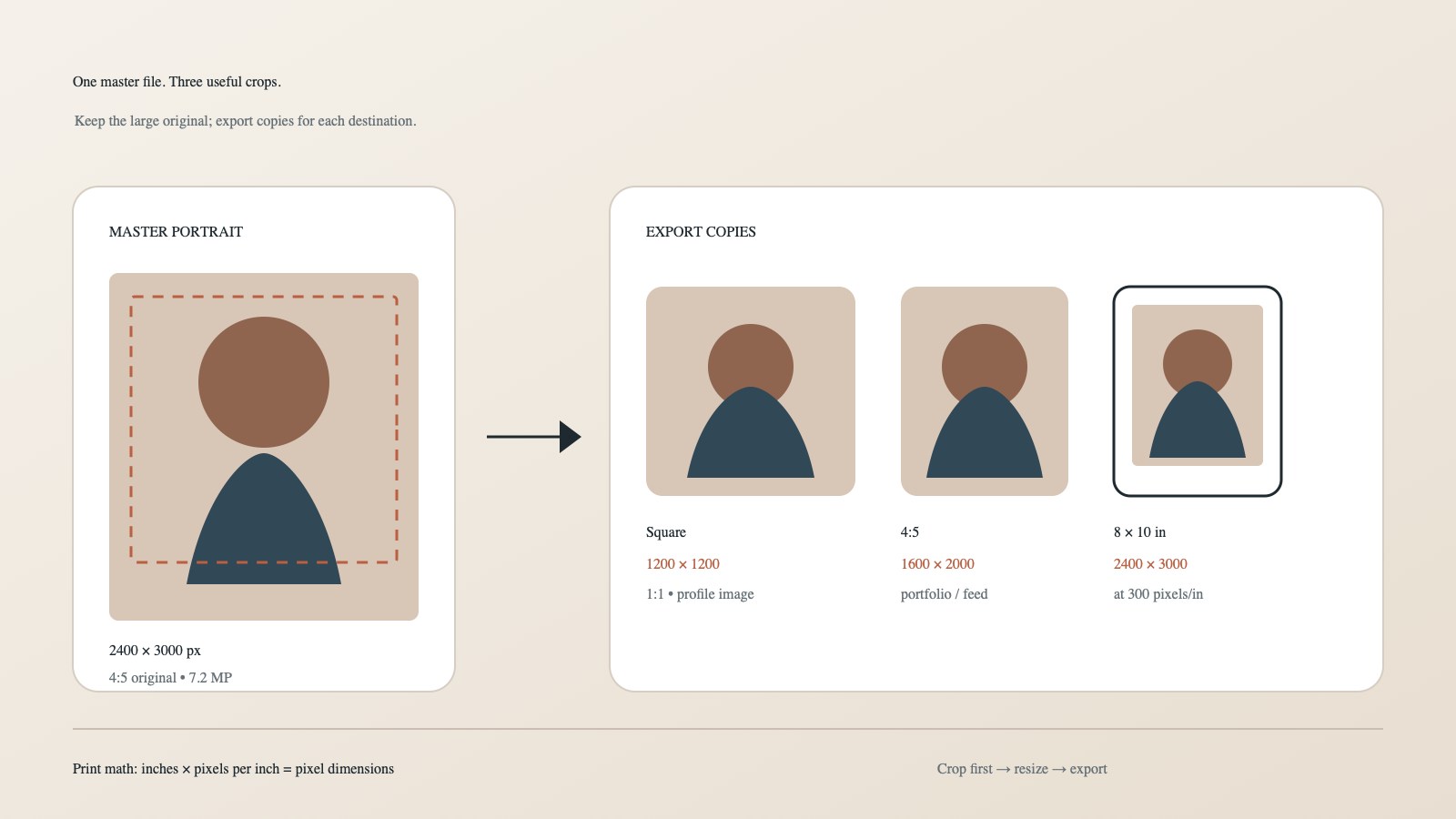
An 8 × 10 print and a square profile icon need different exports. Keep one large master file, then make a copy for each destination.
For a practical starting point, use a portrait master around 2400 × 3000 pixels (4:5) or larger. From it, you can make a 1200 × 1200 square profile image, a 1600 × 2000 4:5 portrait and an 8 × 10 inch print at 300 pixels per inch without inventing missing detail.
Platform specifications in this article were checked on September 25, 2026.
Pixels, aspect ratio, PPI and file size
Pixel dimensions are the actual number of pixels in the file: for example, 1200 × 1200.
Aspect ratio describes shape: 1:1 is square, 4:5 is a common vertical rectangle and 8:10 simplifies to 4:5.
PPI means pixels per inch. It connects pixel dimensions to a physical print size.
File size is storage, such as 850 KB or 4 MB. Compression, format and image detail affect it; pixel dimensions alone do not determine it.
People often say DPI when discussing a photo file. For your export calculation, pixels per inch is the useful concept.
Export from the master file
The large original is your source. Do not repeatedly overwrite it for different platforms.
- Duplicate the master.
- Crop the duplicate to the required ratio.
- Resize only if the destination needs specific pixel dimensions.
- Export in the required format and quality.
- Re-open the exported file and inspect the eyes, hair and skin at 100%.
Current platform examples
We checked the platform requirements below on September 25, 2026. Check them again before exporting for a new use.
| Destination | Shape | Useful export | Current official note |
|---|---|---|---|
| LinkedIn profile | Square display | 1200 × 1200 px | LinkedIn’s profile-photo requirements accept images from 400 × 400 up to 7680 × 4320, PNG or JPG, max 8 MB.1 |
| X profile | Square display | 800 × 800 or 1200 × 1200 px | X’s official upload guidance recommends 400 × 400 and supports JPEG, GIF and PNG, max 2 MB.2 |
| Company website | Often square or 4:5 | Ask the site owner; 1200 px on the short edge is a useful delivery copy | Optimize for the actual component rather than guessing. |
| 8 × 10 print | 4:5 | 2400 × 3000 px at 300 ppi | Print math, not a platform requirement. |
An upload minimum tells you what the platform will accept. Keep a larger, clean source if you need room to make other crops.
Calculate print dimensions
Use this formula:
inches × pixels per inch = pixel dimension
For an 8 × 10 inch print at 300 pixels per inch:
- 8 × 300 = 2400 pixels
- 10 × 300 = 3000 pixels
So the export is 2400 × 3000 pixels.
At 240 pixels per inch, the same print needs 1920 × 2400 pixels. Whether that is acceptable depends on the printer, viewing distance and paper. Ask the lab for its preferred export instead of blindly enlarging a small file.
Why a square crop needs extra room
A square removes the top and bottom of a vertical 4:5 image. If the original crop is already tight, the square version may cut hair, chin or shoulders.
During capture or generation, leave safe space around the head. Keep the eyes near the upper-middle area and avoid placing important hair or clothing details against an edge.
This also explains why a headshot is different from a selfie: the headshot must survive several crops and contexts, not only one phone screen.
A crop test at 96 pixels

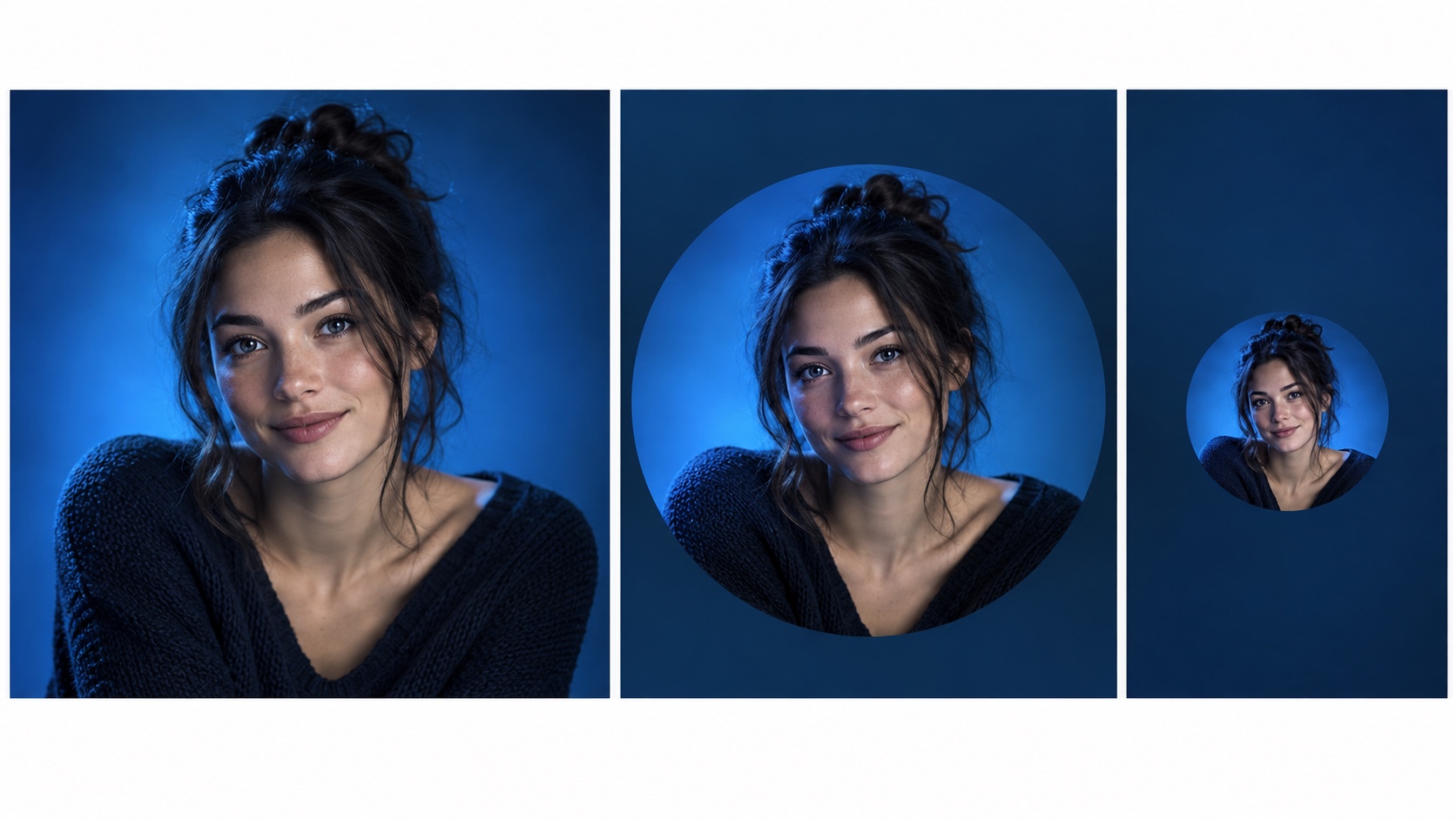
MyPhotoAI crop check, September 25, 2026. These large panels show the original 1024 × 1024 pixel portrait and a 520 × 520 pixel crop starting 290 pixels from the left and 165 from the top. We separately compared both at 96 × 96 pixels. The closer crop gives the face more room at that size. The large panels show the framing clearly. We did not upload the image to a platform or test viewer recognition.
The comparison uses a source with enough pixels for both versions. Cropping removes surrounding pixels, so save the full source and create a separate export for each placement.
Resolution is not sharpness
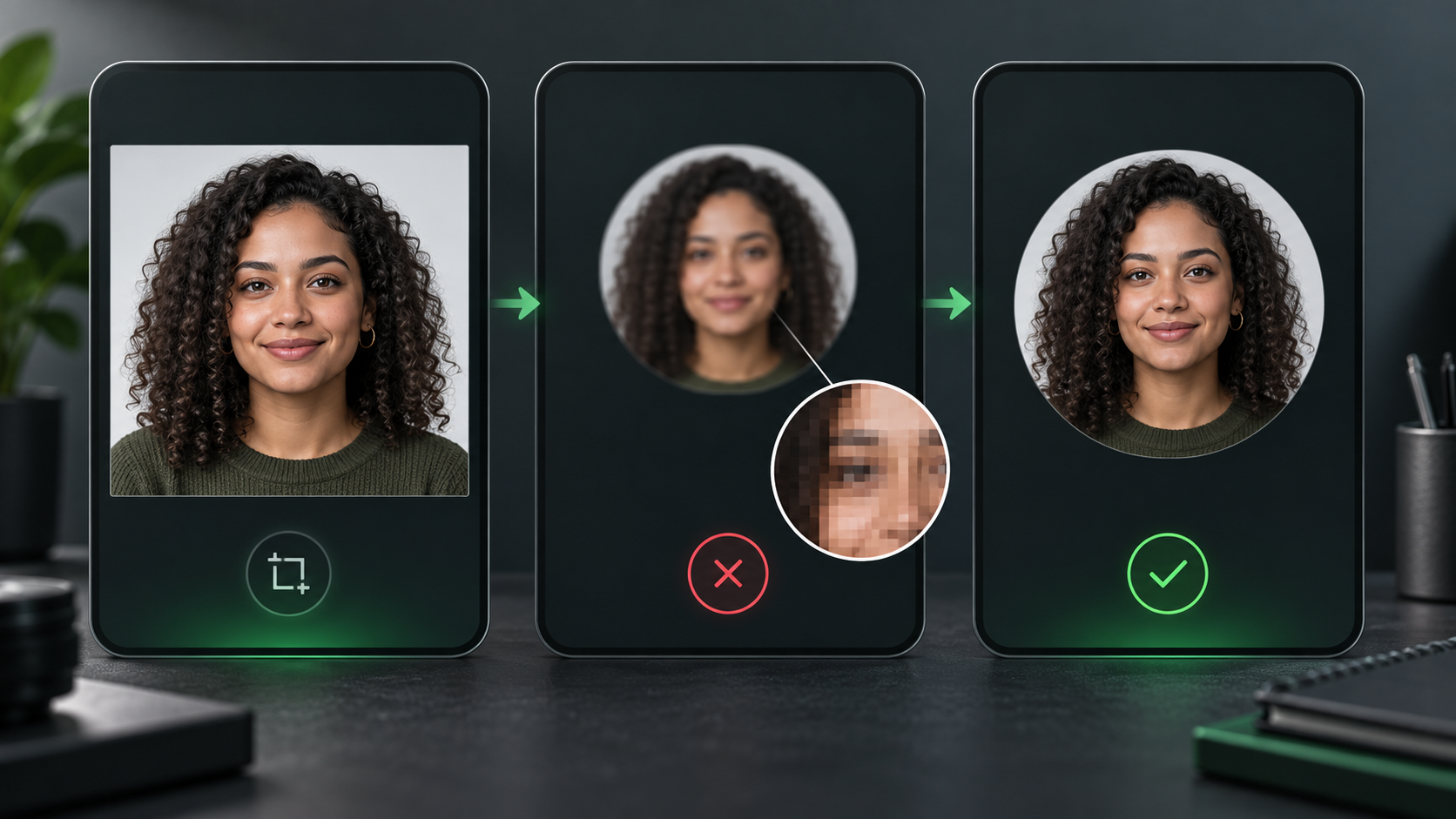
A 4000-pixel file can still look soft because of missed focus, motion blur, aggressive retouching or an over-enlarged source. A carefully prepared 1200-pixel profile image can look crisp in a small interface.
Check the exported file at 100%:
- Are both eyes clear?
- Do eyelashes or glasses edges show halos?
- Has skin become plastic from noise reduction?
- Is there banding in the background?
- Did the platform add another crop?
If the source itself is poor, adding pixels does not restore the missing detail.
JPEG, PNG or WebP?
JPEG is the safe default for photographic delivery and usually creates a smaller file.
PNG is useful when a platform requests it or when the image includes transparency or graphic elements. It may be larger for a detailed portrait.
WebP is efficient for modern websites, but do not assume every upload form accepts it.
The University of Iowa’s portrait guidance recommends JPEG or PNG for digital applications and keeping files at 2 MB or less for faster page loads.3 Iowa gives that 2 MB figure for website page loads. Follow the receiving site's own file limit when it differs.
A clean export workflow
Create a folder with four files:
name-headshot-master.jpg: untouched large sourcename-headshot-square-1200.jpg: social/profile cropname-headshot-4x5-1600x2000.jpg: portrait cropname-headshot-print-8x10-300ppi.jpg: only when requested
Use a high-quality JPEG setting, embed an sRGB color profile for common digital delivery and keep metadata appropriate to your privacy needs.
For the creative side of the portrait, start with the professional headshot guide. To create a new source image, use MyPhotoAI, then keep the largest clean export as your master.
FAQ
What is the best headshot size for LinkedIn?
A square 1200 × 1200 export is a comfortable working size. LinkedIn’s current requirements accept profile photos starting at 400 × 400 pixels.1
Is 72 DPI enough for web?
The pixel dimensions displayed by the site matter more than the metadata number alone. Export enough pixels for the component and keep the file reasonably compressed.
Can I turn a 400 × 400 image into an 8 × 10 print?
You can enlarge it, but it will not contain the same real detail as a high-resolution source. Return to the master file when possible.
Should I crop before or after resizing?
Crop first, resize second. Otherwise you may calculate dimensions for the wrong shape.
Once the dimensions are right, use the JPEG-versus-PNG decision guide to choose the delivery format. The website bio crop guide explains why a layout can still clip a correctly sized file.