
You finally have good window light. Unfortunately, the window is next to a laundry basket, a chair and the one cable you forgot to hide. You do not need a new room. You need a cleaner rectangle inside the camera.
The quick fix: stand away from the wall, turn the phone until the busiest corner is outside the frame, then crop from mid-chest up. Move only what still appears behind your head or shoulders. The example above is an illustration of that sequence, not a measured before-and-after shoot.
Start with the frame, not the room
Put the phone where it will actually take the photo. On its screen, draw an imaginary box around your head and shoulders. Everything outside that box can stay where it is. A pile at your feet is irrelevant; a plant growing out of your hair in the frame is not.
Move the camera a little to either side before you move furniture. The cleanest background might be the short section of wall beside a door, not the longest wall in the room. Keep the phone at roughly eye level so the ceiling and floor do not become the main scenery. If you need more room to compose without holding the phone too close, use the phone-timer portrait setup.
| What sneaks into the frame | Smallest useful change |
|---|---|
| Bright object just behind a shoulder | Shift the camera sideways or move the object one step |
| Picture frame appearing to balance on your head | Move yourself or the camera until the edges separate |
| Wall texture competing with your face | Add distance from the wall and keep the face in focus |
| Clutter only at the bottom | Crop above it, if the destination allows |
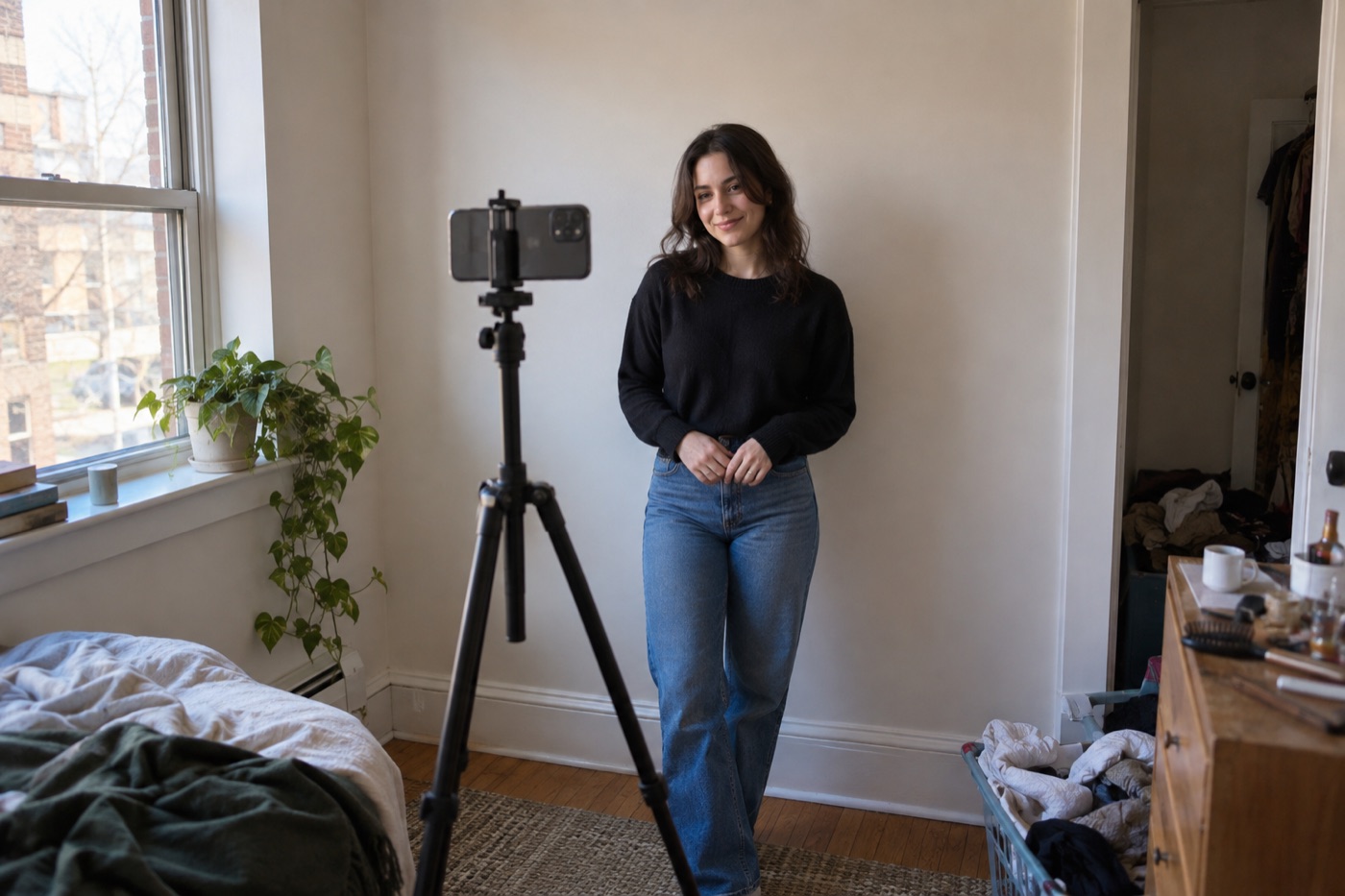
Illustration: the laundry and furniture can remain in the room if they are outside the final frame.
Give yourself some space from the wall
Even in a tight room, half a step forward can make the portrait feel less flat. Canon's portrait guidance explains that greater subject-to-background distance can make the background less distinct. 1 You do not need to promise a dramatic blur. On many phones, a plain wall and good separation are more reliable than portrait-mode blur around hair.

Illustration: a little distance from the wall can make the background less distracting. This is not a measured lens comparison.
Adobe's home headshot advice also recommends checking the background for unwanted objects before taking the picture. 2 Here, that check happens inside the final crop, where it saves the most effort.
Face the window, then turn slightly until both eyes have light. Do not push yourself against the window; a strip of wall or the window frame can become a distracting bright bar behind you. If the light is uneven, this home headshot lighting guide goes deeper. This page is only about making the small space work on camera.
Do a four-frame cleanup
Take one test frame. Look only at the background. Remove the brightest distraction. Take another frame. Look for lines crossing your head. Move the camera a few inches. On the third frame, check whether your shoulders are cut awkwardly. On the fourth, stop arranging the room and choose an expression you recognize.
The best small-room headshot is often made from a very ordinary corner. The trick is that nobody viewing the final crop can see the rest of the apartment.
Saveable shot list: one clean wall, one window, phone at eye level, space behind you, one test crop at thumbnail size.


