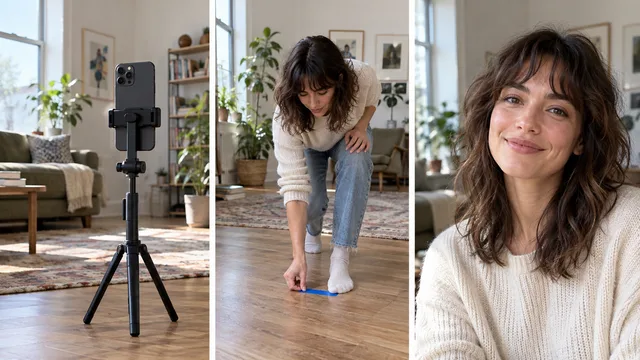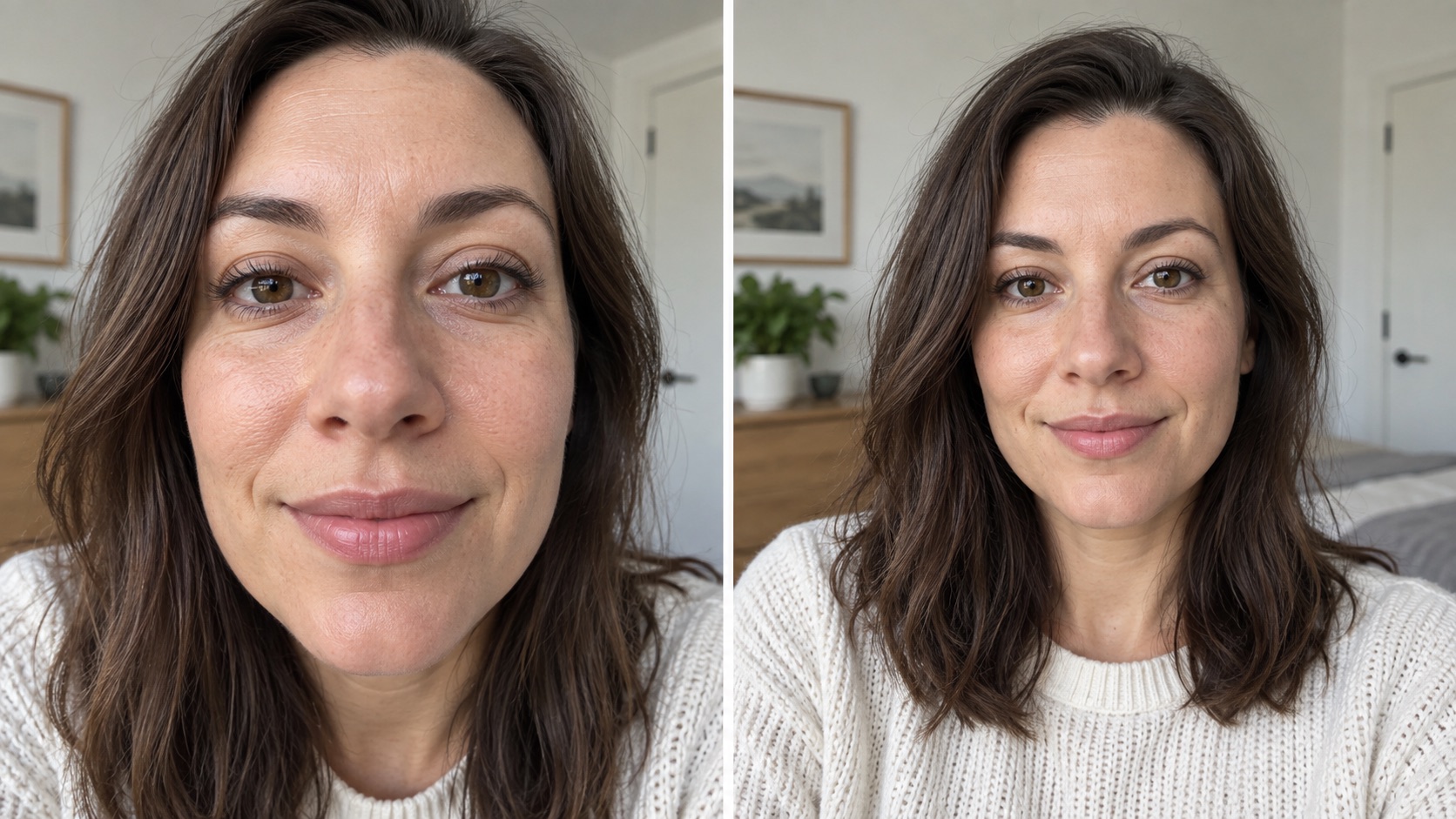
One morning a few days ago, I looked in the mirror and thought I looked sharp. I took a quick selfie. When I opened it, one cheek seemed much bigger than the other. I opened Gemini and typed, “What kind of facial asymmetry is this?”
Its reply suggested several possible contributors: a close, off-center phone; the way my head was turned; and uneven light. It also speculated about my facial anatomy. I could not establish any of that from one image or an AI chat. I could, however, test what the camera was doing.
The images in this article illustrate the camera effect. They are not the selfie I asked Gemini about.
Why one cheek can look bigger in a selfie
When a phone is close and off to one side, the two cheeks are not the same distance from its camera. The nearer side can take up more of the image. A slight head turn or a shadow can add to that impression. This is a possible explanation for the photo I saw, not a diagnosis of my face. A rear camera placed equally close and off-center can create a similar perspective. Adobe's portrait perspective research treats camera-to-subject distance as a separate cause of how a face appears in a portrait.1
The simplest check is to move the phone farther away, hold it near eye level, and crop the wider result so the face appears about the same size. Then compare the two photos in the same light.
The distance test
Keep the light, phone, and expression as steady as you can:
- Take a close selfie at arm's length or closer.
- Place the phone on a stable support farther away at about eye level. Use a timer or ask someone to take the frame.
- Keep your head position and expression as similar as practical.
- Crop the farther photo until your face occupies about the same amount of screen space as in the first.
- Compare the two cheeks and jawlines as well as sharpness and color. If the difference changes with the camera position, that supports a camera contribution. It does not establish anything about your anatomy.
In a 2024 clinical photography study of 12 people, short smartphone camera distances changed measured midface proportions relative to a farther reference photo.2 The finding supports a distance effect. It does not give a correction percentage for your own phone or face.
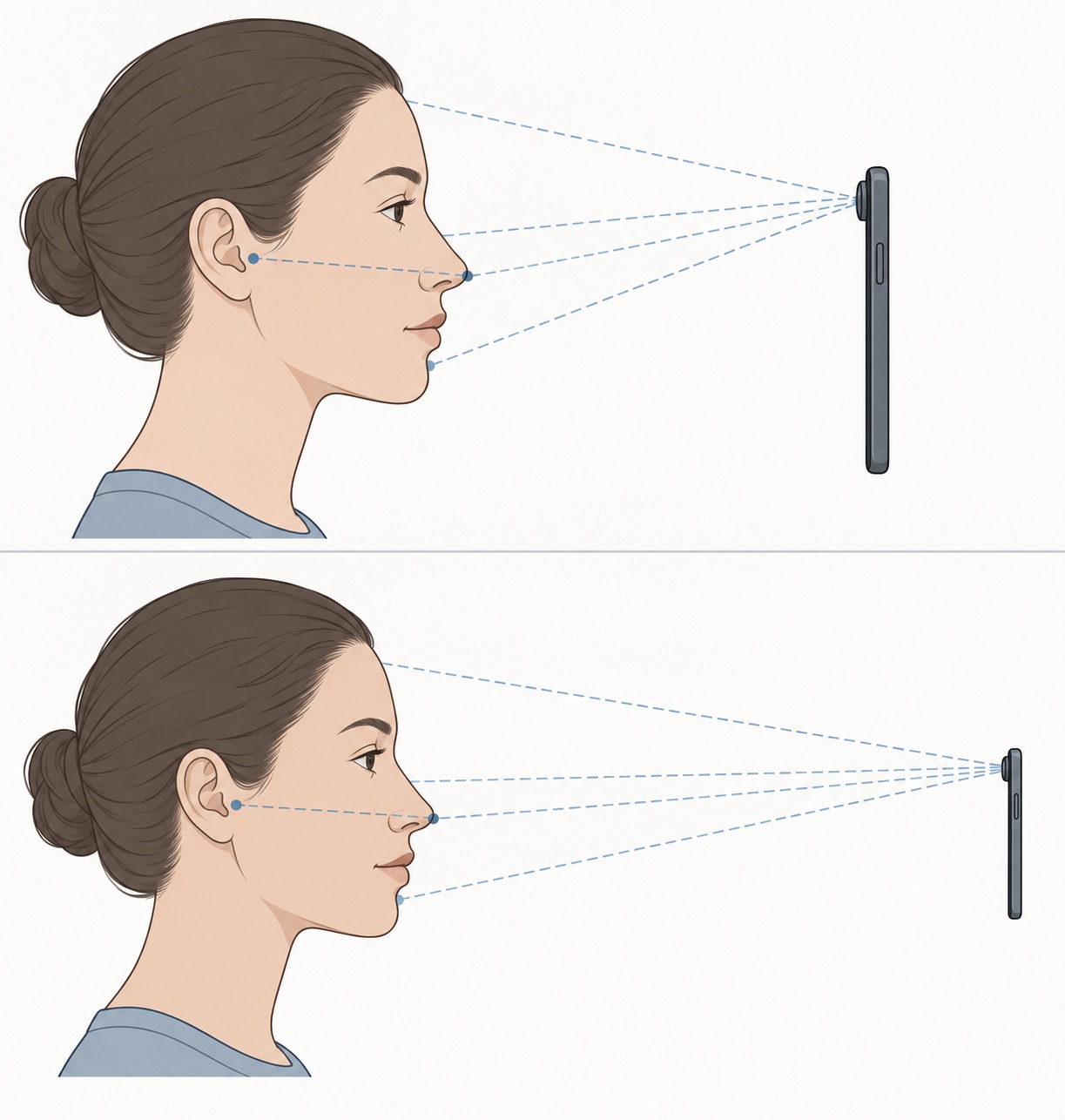
The diagram shows the distance difference. It does not measure a real person's face.
Why cropping is not the same as stepping closer
Cropping cuts away the outside of a picture. It cannot move the camera after the shot was taken. At close range, the difference between the distance to your nose and the distance to your ears is a larger share of the camera-to-face distance. Stepping back reduces that relative difference.
A lens change can make you step back to keep your face the same size in the frame. If you compare two lenses, note where the phone was for each shot. Otherwise, it is easy to credit the lens for a change caused by distance.
A short-distance selfie study also modeled how close camera placement can change the apparent size of the nose.3 It describes what a camera can do to an image, not what a person looks like to someone standing in front of them.
A practical setup for a familiar-looking portrait
Set the phone securely and step back until your face no longer fills the preview. Take a test shot, then crop it. If the crop is too small or soft for its intended use, try a moderate built-in zoom option and retake the photo. Skip extreme digital zoom. Judge the result at normal profile-picture size, not at 400 percent.
Keep the phone near eye level for both takes. If you switch between front and rear cameras, keep the distance similar before judging the results. The selfie setup guide covers light and background; these headshot examples can help with a work-profile crop.
If the second photo still surprises you, check whether the saved image is mirrored or a retouch setting is on. A tilted phone can change the impression too. Compare one setting at a time. If you are concerned about a difference you notice outside photographs, ask a qualified clinician rather than using a selfie or a chat response to diagnose it.