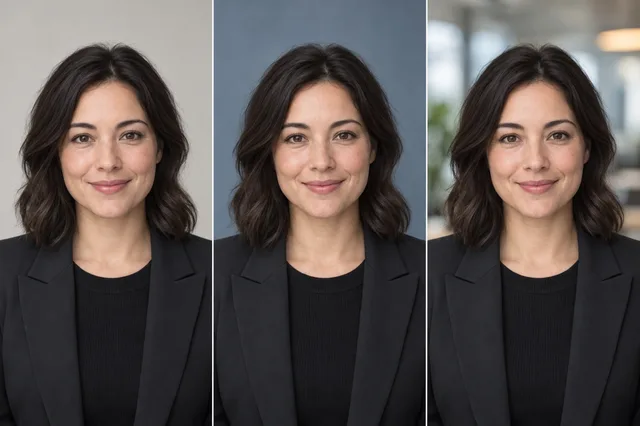
These six MyPhotoAI portraits show what changes when you swap a studio wall for an office, or a sweater for a suit. Look at the framing as closely as the clothes: the office portrait that works on a biography page leaves the face small in a profile icon. The people shown are illustrative product images, with no identified customers or career results behind them.
At a glance: six portrait approaches
| Example | Visual choice | Where it may fit | Check before using it |
|---|---|---|---|
| Studio knit | Dark sweater, white collar, gray backdrop | A profile that calls for a relaxed office look | Does the sweater keep a clear edge against the background? |
| Quarter zip | Navy layer, light studio backdrop | An informal company page or speaker bio | Does the collar remain tidy in a close crop? |
| White coat | Role-specific clothing and neutral backdrop | A profile where the wearer is authorized to represent a healthcare role | Would the clothing misstate your real qualifications? |
| Formal office | Suit and tie with bookshelves | A formal practice or leadership page | Does the background distract at small size? |
| Bright office | Blazer, white blouse, softly blurred room | A client-facing bio or personal site | Does the face remain the first thing you notice? |
| Windowed executive | Suit with a broad environmental frame | A website banner or feature | Is the face too small for an avatar? |
Choose clothing and a setting that reflect your work. A white coat, badge, uniform, or other credential cue should not imply a role you do not hold.
1. Studio knit: relaxed without looking unfinished
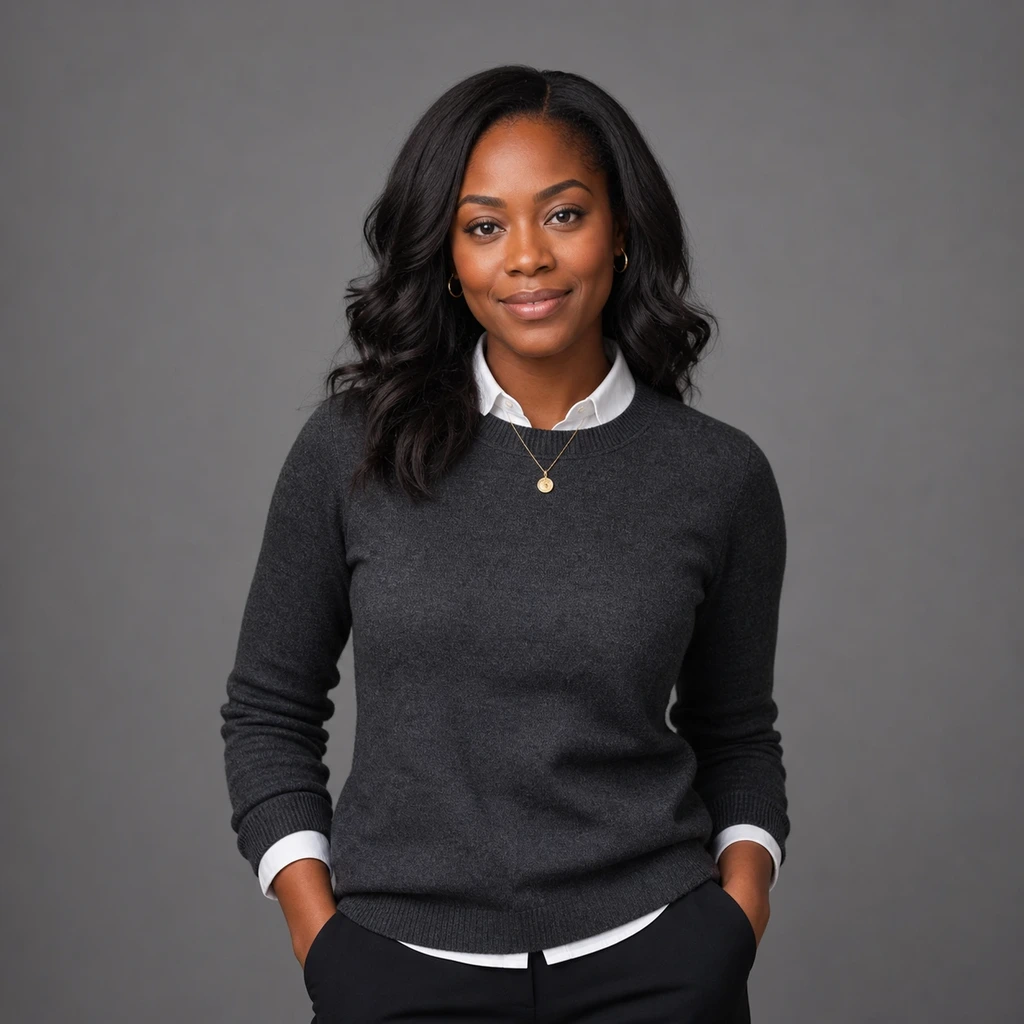
The white collar breaks up the dark sweater near the face. The gray wall stays out of the way, and there is space around the head and shoulders. On a business casual team page, check the small version before using a similar look: the sweater's edge can disappear against a darker background.
2. Quarter zip: a simple alternative to a jacket

The light wall keeps the navy quarter zip distinct from the background. A strip of white shirt also shows beneath the collar. This is an option if a jacket would feel unlike your usual work clothes. In a tight square crop, make sure the zipper and collar still sit neatly.
3. White coat: use role cues honestly

The coat and stethoscope suggest a healthcare role before a viewer reads any text. Use clothing like this only when it accurately represents your work. Check generated badges, insignia, and equipment for details that could misstate your qualifications.
4. Formal office: structure and a busier background

The shelves and window establish an office setting, but their lines stay visible even when the photo is small. A staff biography could use this wider frame. For a directory icon, try a closer crop and check where it cuts the folded arms.
5. Bright office: a client-facing portrait

The dark blazer separates the subject from the bright, blurred room. This frame has enough space for a biography page, where the image sits beside a name and introduction. If your own photo has a bright window, inspect the face after the site's crop and compression.
6. Windowed executive: a website image that needs a second crop

The windows and city take up much of this frame. They help tell a story on a full page; at avatar size, the face gets less room. Keep the wider version for a feature and make a closer head-and-shoulders crop for a profile icon.
A small-avatar crop check

On September 25, 2026, we reduced all six 1024 by 1024 pixel portraits to 96 and 64 pixels square. The windowed portrait left less space for the face than the studio portraits. To compare crops, we took a 520 by 520 pixel square from that image, starting 290 pixels from the left and 165 from the top, and viewed both versions at 96 pixels. The closer crop made the face easier to inspect. The large panels above show the framing, not the 96-pixel files. We did not test viewer recognition or LinkedIn's rendering.
Choose a headshot for the place it will appear
- Name the destination. A team page, article byline, and circular profile icon use different amounts of space. For export sizes and crop ratios, use our headshot dimensions guide.
- Match your actual role and dress. The right clothing is what you would plausibly wear for that context. Our business casual headshots guide has more wardrobe examples.
- Shrink the image. Look at a small preview, not just the full portrait. Check whether the eyes and expression remain clear and whether the background still helps.
- Inspect details. Check the eyes, teeth, glasses, hairline, hands, clothing seams, and any text or insignia. If a generated detail is wrong, choose another result or correct it before publishing.
- Compare it with a current photo of yourself. If the portrait changes features that friends or colleagues use to recognize you, set it aside.